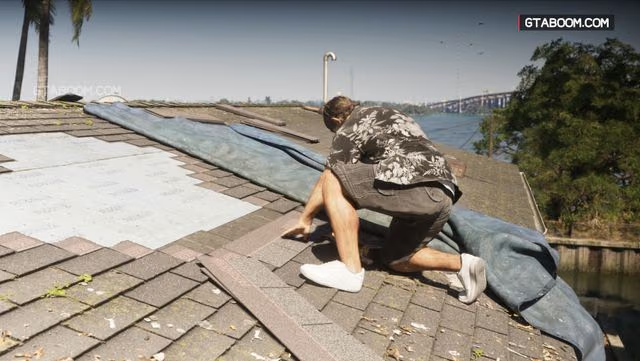


Rockstar Games definitely wasn't kidding. Grand Theft Auto VI has storms that roll across Leonida and rain that turns the streets into mirrors. It only works if the weather changes, though. Plenty of players spent launch week in endless sunshine and that isn't just Rockstar making a play on the official nickname of the state Vice City is inspired by, the Sunshine State.
The good news is that the fix is mostly in the first patch. The bad news? It takes an extra step to fix for those who haven't seen cloudy skies in GTA 6 since the patch rolled out.
Update to the Latest Patch First
Rockstar listed stuck weather among the problems addressed in update 01.002.002, alongside failed autosaves, crashes and missing story calls. Install it before anything else. On PlayStation 5, highlight GTA 6 on the home screen, press Options and pick Check for Update.
For us, the update was the whole fix. The rain started the moment it went in. The same patch did leave a few things alone, like the money and clothing glitches that still work, so not everything got patched out.
Still Stuck? Clear Your PS5 System Cache
Not everyone got the rain back right away. Players reporting on Threads and X say their weather stayed frozen even after updating, and changed after they cleared the PS5's system software cache. It is a maintenance option that wipes temporary system data. It does not touch your saves or installed games.
Here's how we cleared the cache.
-
Save your progress first. We saved at Jason's safehouse to be safe, but a fresh autosave works too.
-
Fully shut down the PS5. Do not put it in Rest Mode.
-
Hold the power button and let go after the second beep, about seven seconds in. The console boots into Safe Mode.
-
Connect your DualSense with a USB cable and press the PS button.
-
Pick Clear Cache and Rebuild Database, then Clear System Software Cache, then OK.
The console restarts on its own. Boot GTA 6 and play as normal.
What Happened in Our Game
Our rain was already back as soon as the patch installed. We cleared the cache anyway, since it takes two minutes and costs nothing. Nothing broke, our save loaded fine and the weather kept rotating through clear, overcast and wet skies over Vice City. If your game is still stuck on postcard blue after the update, the cache clear is the step worth trying.
What Not to Touch in Safe Mode
Safe Mode has options you do not want to fiddle with. Rebuild Database is not needed for this fix and takes much longer. Stay well away from Reset PS5 and anything with Initialize in the name, which wipe the console.
If you only pick Clear System Software Cache, your saves and games stay right where they are.
On Xbox Series X and S
The Safe Mode steps are PS5 only. On Xbox Series X and S, the closest thing is a full power cycle. Hold the power button on the console for about ten seconds until it shuts off, unplug it for a minute, then turn it back on. It clears the console's temporary cache the same way. We played on PS5, so treat this as the Xbox equivalent for now.
If It Still Will Not Rain
Give it time. GTA 6's weather runs on moving systems, so one corner of the map can stay clear while a storm sits over another. Play through it a couple of in-game days first and drive between regions before you make a conclusion.
If the skies have not changed after the patch and a cache clear, you may have to keep an eye out for the next update.
GTA 6 Stuck Weather FAQ
Why is the weather always sunny in GTA 6?
Stuck weather was a known launch problem. Rockstar's first patch, update 01.002.002, lists it as fixed. Some players report their weather started changing again after they cleared the PS5 system cache.
Does clearing the PS5 cache delete my GTA 6 save?
No. Clear System Software Cache only removes temporary system data. Your saves and installed games stay put. Save before you start anyway, just to be safe.
How long does it take for the weather to change?
For us, the rain came back as soon as the patch installed. If yours has not changed after a couple of in-game days on the update, try the cache clear.
Does this work on Xbox?
The Safe Mode menu is PS5 only. On Xbox Series X and S, a full power cycle clears the cache instead. We played on PS5.
Is the cache clear an official Rockstar fix?
No. The official fix is the patch. The cache clear is a step players have been sharing on Threads and X for when the update does not seem to stick. It is harmless to try.