

 PlayStation
 Xbox
Xbox PC
PC Phone
PhoneGTA 5 cheats work in story mode on PC, PS5, PS4, PS3, Xbox Series X|S, Xbox One, and Xbox 360. Enter them with button combos on console, cheat words on PC, or in-game phone numbers on next-gen devices. Use the sections below for full platform lists, the best cheats, and quick fixes if a code is not working.
Important: Using any cheats disables achievements and trophies for the rest of the current session. Save first, then reload a clean save when you want achievements or trophies enabled again.
Best GTA 5 Cheats
Use the phone codes on PS5, PS4, Xbox Series X|S, Xbox One, or PC for the quickest shortlist of useful cheats. For PS3, Xbox 360, controller combos, or PC word cheats, use the full platform lists further below.
- 1-999-724-654-5537 (1-999-PAIN-KILLER) — Invincibility / God Mode: temporary god mode for about five minutes.
- 1-999-887-853 (1-999-TURTLE) — Max Health & Armor: fully restores health and armor.
- 1-999-8665-87 (1-999-TOOL-UP) — Weapons: gives you a full weapon set with ammo.
- 1-999-5299-3787 (1-999-LAWYER-UP) — Lower Wanted Level: removes one wanted star each time you use it.
- 1-999-289-9633 (1-999-BUZZ-OFF) — Spawn Buzzard: spawns an armed helicopter for fast travel and combat.
Is There a GTA 5 Money Cheat?
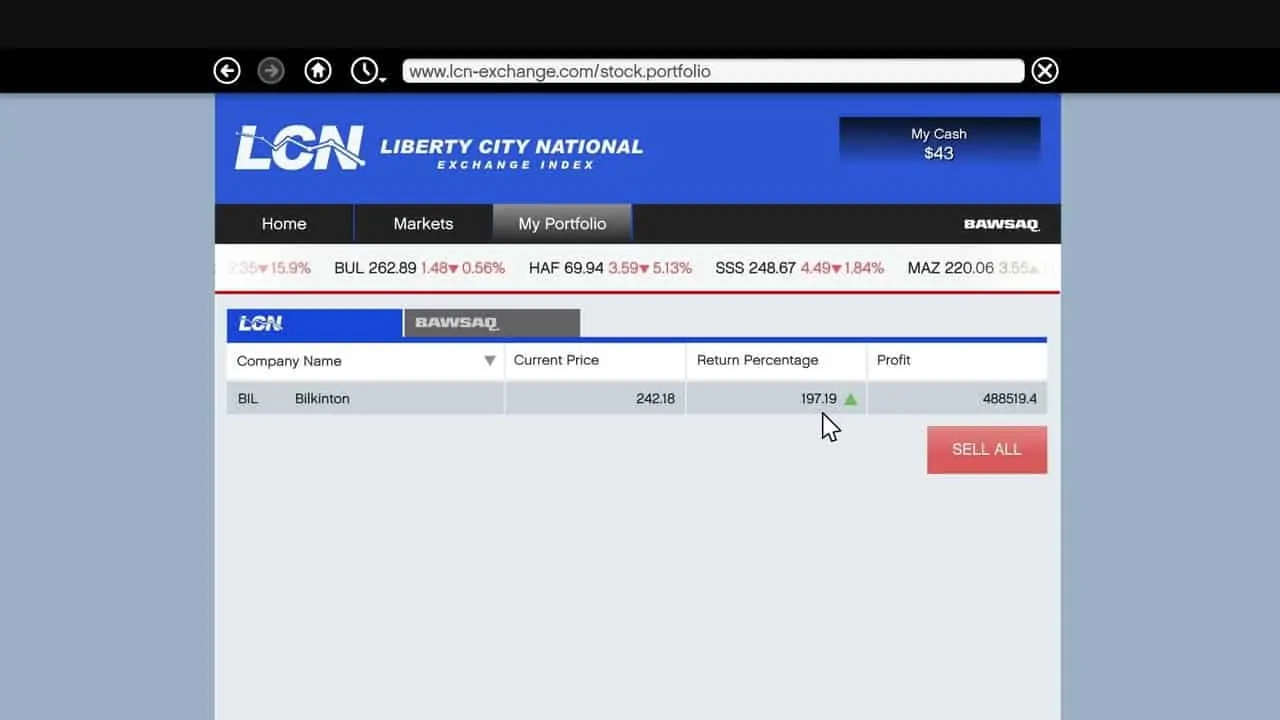
No. There is no cheat code for unlimited money in GTA 5 story mode or GTA Online. If you want a legitimate story mode workaround, save Lester's assassination missions and stock market plays for later so you can multiply your returns. In GTA Online, there is no legit money cheat, and hacks or mod menus can get you banned.
GTA 5 PS4 and PS5 Cheats
These are the GTA 5 PS4 and PS5 cheat codes. Enter the PlayStation button combo during story mode gameplay, using the d-pad for directions. Phone numbers also work on PS4 and PS5; PS3 uses button combos only.
- Invincibility / God Mode (PS5 / PS4): RIGHT, X, RIGHT, LEFT, RIGHT, R1, RIGHT, LEFT, X, TRIANGLE
RIGHT X RIGHT LEFT RIGHT R1 RIGHT LEFT X TRIANGLE
- Lower Wanted Level (PS5 / PS4): R1, R1, CIRCLE, R2, RIGHT, LEFT, RIGHT, LEFT, RIGHT, LEFT
R1 R1 CIRCLE R2 RIGHT LEFT RIGHT LEFT RIGHT LEFT
- Raise Wanted Level (PS5 / PS4): R1, R1, CIRCLE, R2, LEFT, RIGHT, LEFT, RIGHT, LEFT, RIGHT
R1 R1 CIRCLE R2 LEFT RIGHT LEFT RIGHT LEFT RIGHT
- Drunk Mode (PS5 / PS4): TRIANGLE, RIGHT, RIGHT, LEFT, RIGHT, SQUARE, CIRCLE, LEFT
TRIANGLE RIGHT RIGHT LEFT RIGHT SQUARE CIRCLE LEFT
- Fast Run (PS5 / PS4): TRIANGLE, LEFT, RIGHT, RIGHT, L2, L1, SQUARE
TRIANGLE LEFT RIGHT RIGHT L2 L1 SQUARE
- Fast Swim (PS5 / PS4): LEFT, LEFT, L1, RIGHT, RIGHT, R2, LEFT, L2, RIGHT
LEFT LEFT L1 RIGHT RIGHT R2 LEFT L2 RIGHT
- Recharge Special Ability (PS5 / PS4): X, X, SQUARE, R1, L1, X, RIGHT, LEFT, X
X X SQUARE R1 L1 X RIGHT LEFT X
- Skyfall (PS5 / PS4): L1, L2, R1, R2, LEFT, RIGHT, LEFT, RIGHT, L1, L2, R1, R2, LEFT, RIGHT, LEFT, RIGHT
L1 L2 R1 R2 LEFT RIGHT LEFT RIGHT L1 L2 R1 R2 LEFT RIGHT LEFT RIGHT
- Super Jump (PS5 / PS4): LEFT, LEFT, TRIANGLE, TRIANGLE, RIGHT, RIGHT, LEFT, RIGHT, SQUARE, R1, R2
LEFT LEFT TRIANGLE TRIANGLE RIGHT RIGHT LEFT RIGHT SQUARE R1 R2
- Explosive Bullets (PS5 / PS4): RIGHT, SQUARE, X, LEFT, R1, R2, LEFT, RIGHT, RIGHT, L1, L1, L1
RIGHT SQUARE X LEFT R1 R2 LEFT RIGHT RIGHT L1 L1 L1
- Explosive Melee Attacks (PS5 / PS4): RIGHT, LEFT, X, TRIANGLE, R1, CIRCLE, CIRCLE, CIRCLE, L2
RIGHT LEFT X TRIANGLE R1 CIRCLE CIRCLE CIRCLE L2
- Flaming Bullets (PS5 / PS4): L1, R1, SQUARE, R1, LEFT, R2, R1, LEFT, SQUARE, RIGHT, L1, L1
L1 R1 SQUARE R1 LEFT R2 R1 LEFT SQUARE RIGHT L1 L1
- Max Health & Armor (PS5 / PS4): CIRCLE, L1, TRIANGLE, R2, X, SQUARE, CIRCLE, RIGHT, SQUARE, L1, L1, L1
CIRCLE L1 TRIANGLE R2 X SQUARE CIRCLE RIGHT SQUARE L1 L1 L1
- Slow Motion Aim (PS5 / PS4): SQUARE, L2, R1, TRIANGLE, LEFT, SQUARE, L2, RIGHT, X
SQUARE L2 R1 TRIANGLE LEFT SQUARE L2 RIGHT X
- Parachute (PS5 / PS4): LEFT, RIGHT, L1, L2, R1, R2, R2, LEFT, LEFT, RIGHT, L1
LEFT RIGHT L1 L2 R1 R2 R2 LEFT LEFT RIGHT L1
- Weapons / Guns (PS5 / PS4): TRIANGLE, R2, LEFT, L1, X, RIGHT, TRIANGLE, DOWN, SQUARE, L1, L1, L1
TRIANGLE R2 LEFT L1 X RIGHT TRIANGLE DOWN SQUARE L1 L1 L1
- Change Weather (PS5 / PS4): R2, X, L1, L1, L2, L2, L2, SQUARE
R2 X L1 L1 L2 L2 L2 SQUARE
- Moon Gravity (PS5 / PS4): LEFT, LEFT, L1, R1, L1, RIGHT, LEFT, L1, LEFT
LEFT LEFT L1 R1 L1 RIGHT LEFT L1 LEFT
- Slippery Cars (PS5 / PS4): TRIANGLE, R1, R1, LEFT, R1, L1, R2, L1
TRIANGLE R1 R1 LEFT R1 L1 R2 L1
- Slow Motion (PS5 / PS4): TRIANGLE, LEFT, RIGHT, RIGHT, SQUARE, R2, R1
TRIANGLE LEFT RIGHT RIGHT SQUARE R2 R1
- Spawn BMX (PS5 / PS4): LEFT, LEFT, RIGHT, RIGHT, LEFT, RIGHT, SQUARE, CIRCLE, TRIANGLE, R1, R2
LEFT LEFT RIGHT RIGHT LEFT RIGHT SQUARE CIRCLE TRIANGLE R1 R2
- Spawn Buzzard Helicopter (PS5 / PS4): CIRCLE, CIRCLE, L1, CIRCLE, CIRCLE, CIRCLE, L1, L2, R1, TRIANGLE, CIRCLE, TRIANGLE
CIRCLE CIRCLE L1 CIRCLE CIRCLE CIRCLE L1 L2 R1 TRIANGLE CIRCLE TRIANGLE
- Spawn Caddy (PS5 / PS4): CIRCLE, L1, LEFT, R1, L2, X, R1, L1, CIRCLE, X
CIRCLE L1 LEFT R1 L2 X R1 L1 CIRCLE X
- Spawn Comet (PS5 / PS4): R1, CIRCLE, R2, RIGHT, L1, L2, X, X, SQUARE, R1
R1 CIRCLE R2 RIGHT L1 L2 X X SQUARE R1
- Spawn Duster (PS5 / PS4): RIGHT, LEFT, R1, R1, R1, LEFT, TRIANGLE, TRIANGLE, X, CIRCLE, L1, L1
RIGHT LEFT R1 R1 R1 LEFT TRIANGLE TRIANGLE X CIRCLE L1 L1
- Spawn Limo (PS5 / PS4): R2, RIGHT, L2, LEFT, LEFT, R1, L1, CIRCLE, RIGHT
R2 RIGHT L2 LEFT LEFT R1 L1 CIRCLE RIGHT
- Spawn PCJ-600 (PS5 / PS4): R1, RIGHT, LEFT, RIGHT, R2, LEFT, RIGHT, SQUARE, RIGHT, L2, L1, L1
R1 RIGHT LEFT RIGHT R2 LEFT RIGHT SQUARE RIGHT L2 L1 L1
- Spawn Rapid GT (PS5 / PS4): R2, L1, CIRCLE, RIGHT, L1, R1, RIGHT, LEFT, CIRCLE, R2
R2 L1 CIRCLE RIGHT L1 R1 RIGHT LEFT CIRCLE R2
- Spawn Sanchez (PS5 / PS4): CIRCLE, X, L1, CIRCLE, CIRCLE, L1, CIRCLE, R1, R2, L2, L1, L1
CIRCLE X L1 CIRCLE CIRCLE L1 CIRCLE R1 R2 L2 L1 L1
- Spawn Stunt Plane (PS5 / PS4): CIRCLE, RIGHT, L1, L2, LEFT, R1, L1, L1, LEFT, LEFT, X, TRIANGLE
CIRCLE RIGHT L1 L2 LEFT R1 L1 L1 LEFT LEFT X TRIANGLE
- Spawn Trashmaster (PS5 / PS4): CIRCLE, R1, CIRCLE, R1, LEFT, LEFT, R1, L1, CIRCLE, RIGHT
CIRCLE R1 CIRCLE R1 LEFT LEFT R1 L1 CIRCLE RIGHT
GTA 5 Xbox One and Series X|S Cheats
These are the GTA 5 Xbox One and Xbox Series X|S cheat codes. Enter the Xbox button combo quickly during story mode gameplay, using the d-pad for directions. Phone numbers also work on Xbox One and Series X|S; Xbox 360 uses button combos only.
- Drunk Mode (Xbox Series X / Xbox One): Y, RIGHT, RIGHT, LEFT, RIGHT, X, B, LEFT
Y RIGHT RIGHT LEFT RIGHT X B LEFT
- Fast Run (Xbox Series X / Xbox One): Y, LEFT, RIGHT, RIGHT, LT, LB, X
Y LEFT RIGHT RIGHT LT LB X
- Fast Swim (Xbox Series X / Xbox One): LEFT, LEFT, LB, RIGHT, RIGHT, RT, LEFT, LT, RIGHT
LEFT LEFT LB RIGHT RIGHT RT LEFT LT RIGHT
- Recharge Ability (Xbox Series X / Xbox One): A, A, X, RB, LB, A, RIGHT, LEFT, A
A A X RB LB A RIGHT LEFT A
- Skyfall (Xbox Series X / Xbox One): LB, LT, RB, RT, LEFT, RIGHT, LEFT, RIGHT, LB, LT, RB, RT, LEFT, RIGHT, LEFT, RIGHT
LB LT RB RT LEFT RIGHT LEFT RIGHT LB LT RB RT LEFT RIGHT LEFT RIGHT
- Super Jump (Xbox Series X / Xbox One): LEFT, LEFT, Y, Y, RIGHT, RIGHT, LEFT, RIGHT, X, RB, RT
LEFT LEFT Y Y RIGHT RIGHT LEFT RIGHT X RB RT
- Explosive Ammo Rounds (Xbox Series X / Xbox One): RIGHT, X, A, LEFT, RB, RT, LEFT, RIGHT, RIGHT, LB, LB, LB
RIGHT X A LEFT RB RT LEFT RIGHT RIGHT LB LB LB
- Explosive Melee Attacks (Xbox Series X / Xbox One): RIGHT, LEFT, A, Y, RB, B, B, B, LT
RIGHT LEFT A Y RB B B B LT
- Flaming Bullets (Xbox Series X / Xbox One): LB, RB, X, RB, LEFT, RT, RB, LEFT, X, RIGHT, LB, LB
LB RB X RB LEFT RT RB LEFT X RIGHT LB LB
- Lower Wanted Level (Xbox Series X / Xbox One): RB, RB, B, RT, RIGHT, LEFT, RIGHT, LEFT, RIGHT, LEFT
RB RB B RT RIGHT LEFT RIGHT LEFT RIGHT LEFT
- Raise Wanted Level (Xbox Series X / Xbox One): RB, RB, B, RT, LEFT, RIGHT, LEFT, RIGHT, LEFT, RIGHT
RB RB B RT LEFT RIGHT LEFT RIGHT LEFT RIGHT
- Invincibility / God Mode (Xbox Series X / Xbox One): RIGHT, A, RIGHT, LEFT, RIGHT, RB, RIGHT, LEFT, A, Y
RIGHT A RIGHT LEFT RIGHT RB RIGHT LEFT A Y
- Max Health & Armor (Xbox Series X / Xbox One): B, LB, Y, RT, A, X, B, RIGHT, X, LB, LB, LB
B LB Y RT A X B RIGHT X LB LB LB
- Slow Motion Aim (Xbox Series X / Xbox One): X, LT, RB, Y, LEFT, X, LT, RIGHT, A
X LT RB Y LEFT X LT RIGHT A
- Parachute (Xbox Series X / Xbox One): LEFT, RIGHT, LB, LT, RB, RT, RT, LEFT, LEFT, RIGHT, LB
LEFT RIGHT LB LT RB RT RT LEFT LEFT RIGHT LB
- Weapons / Guns (Xbox Series X / Xbox One): Y, RT, LEFT, LB, A, RIGHT, Y, Down, X, LB, LB, LB
Y RT LEFT LB A RIGHT Y Down X LB LB LB
- Change Weather (Xbox Series X / Xbox One): RT, A, LB, LB, LT, LT, LT, X
RT A LB LB LT LT LT X
- Moon Gravity (Xbox Series X / Xbox One): LEFT, LEFT, LB, RB, LB, RIGHT, LEFT, LB, LEFT
LEFT LEFT LB RB LB RIGHT LEFT LB LEFT
- Slippery Cars (Xbox Series X / Xbox One): Y, RB, RB, LEFT, RB, LB, RT, LB
Y RB RB LEFT RB LB RT LB
- Slow Motion (Xbox Series X / Xbox One): Y, LEFT, RIGHT, RIGHT, X, RT, RB
Y LEFT RIGHT RIGHT X RT RB
- Spawn BMX (Xbox Series X / Xbox One): LEFT, LEFT, RIGHT, RIGHT, LEFT, RIGHT, X, B, Y, RB, RT
LEFT LEFT RIGHT RIGHT LEFT RIGHT X B Y RB RT
- Spawn Buzzard Helicopter (Xbox Series X / Xbox One): B, B, LB, B, B, B, LB, LT, RB, Y, B, Y
B B LB B B B LB LT RB Y B Y
- Spawn Caddy (Xbox Series X / Xbox One): B, LB, LEFT, RB, LT, A, RB, LB, B, A
B LB LEFT RB LT A RB LB B A
- Spawn Comet (Xbox Series X / Xbox One): RB, B, RT, RIGHT, LB, LT, A, A, X, RB
RB B RT RIGHT LB LT A A X RB
- Spawn Duster (Xbox Series X / Xbox One): RIGHT, LEFT, RB, RB, RB, LEFT, Y, Y, A, B, LB, LB
RIGHT LEFT RB RB RB LEFT Y Y A B LB LB
- Spawn Limo (Xbox Series X / Xbox One): RT, RIGHT, LT, LEFT, LEFT, RB, LB, B, RIGHT
RT RIGHT LT LEFT LEFT RB LB B RIGHT
- Spawn PCJ-600 (Xbox Series X / Xbox One): RB, RIGHT, LEFT, RIGHT, RT, LEFT, RIGHT, X, RIGHT, LT, LB, LB
RB RIGHT LEFT RIGHT RT LEFT RIGHT X RIGHT LT LB LB
- Spawn Rapid GT (Xbox Series X / Xbox One): RT, LB, B, RIGHT, LB, RB, RIGHT, LEFT, B, RT
RT LB B RIGHT LB RB RIGHT LEFT B RT
- Spawn Sanchez (Xbox Series X / Xbox One): B, A, LB, B, B, LB, B, RB, RT, LT, LB, LB
B A LB B B LB B RB RT LT LB LB
- Spawn Stunt Plane (Xbox Series X / Xbox One): B, RIGHT, LB, LT, LEFT, RB, LB, LB, LEFT, LEFT, A, Y
B RIGHT LB LT LEFT RB LB LB LEFT LEFT A Y
- Spawn Trashmaster (Xbox Series X / Xbox One): B, RB, B, RB, LEFT, LEFT, RB, LB, B, RIGHT
B RB B RB LEFT LEFT RB LB B RIGHT
GTA 5 PC Cheats
These are the GTA 5 PC cheats. Press the tilde key to open the console, type the cheat word, and press Enter. You can also use phone numbers on supported PC versions.
- Drunk Mode (PC): LIQUOR
LIQUOR
- Fast Run (PC): CATCHME
CATCHME
- Fast Swim (PC): GOTGILLS
GOTGILLS
- Recharge Ability (PC): POWERUP
POWERUP
- Skyfall (PC): SKYFALL
SKYFALL
- Super Jump (PC): HOPTOIT
HOPTOIT
- Explosive Ammo Rounds (PC): HIGHEX
HIGHEX
- Explosive Melee Attacks (PC): HOTHANDS
HOTHANDS
- Flaming Bullets (PC): INCENDIARY
INCENDIARY
- Lower Wanted Level (PC): LAWYERUP
LAWYERUP
- Raise Wanted Level (PC): FUGITIVE
FUGITIVE
- Invincibility / God Mode (PC): PAINKILLER
PAINKILLER
- Max Health & Armor (PC): TURTLE
TURTLE
- Slow Motion Aim (PC): DEADEYE
DEADEYE
- Parachute (PC): SKYDIVE
SKYDIVE
- Weapons / Guns (PC): TOOLUP
TOOLUP
- Change Weather (PC): MAKEITRAIN
MAKEITRAIN
- Moon Gravity (PC): FLOATER
FLOATER
- Slippery Cars (PC): SNOWDAY
SNOWDAY
- Slow Motion (PC): SLOWMO
SLOWMO
- Spawn BMX (PC): BANDIT
BANDIT
- Spawn Buzzard (PC): BUZZOFF
BUZZOFF
- Spawn Caddy (PC): HOLEIN1
HOLEIN1
- Spawn Comet (PC): COMET
COMET
- Spawn Duster (PC): FLYSPRAY
FLYSPRAY
- Spawn Limo (PC): VINEWOOD
VINEWOOD
- Spawn PCJ-600 (PC): ROCKET
ROCKET
- Spawn Rapid GT (PC): RAPIDGT
RAPIDGT
- Spawn Sanchez (PC): OFFROAD
OFFROAD
- Spawn Stunt Plane (PC): BARNSTORM
BARNSTORM
- Spawn Trashmaster (PC): TRASHED
TRASHED
GTA 5 Phone Cheats
Open the in-game phone on PS5, PS4, Xbox Series X|S, Xbox One, or PC, bring up the dial pad, enter the 1-999 number, and call it to activate the cheat in story mode.
Looking for Duke O'Death, Kraken, Dodo, Director Mode, or Black Cellphones? Those newer-version or unlock-first phone cheats are listed in the Expanded & Enhanced Cheats section below.
- Drunk Mode (Phone): 1-999-547-861 (1-999-LIQUOR)
- Fast Run (Phone): 1-999-228-2463 (1-999-CATCH-ME)
- Fast Swim (Phone): 1-999-468-44557 (1-999-GOT-GILLS)
- Recharge Ability (Phone): 1-999-769-3787 (1-999-POWER-UP)
- Skyfall (Phone): 1-999-759-3255 (1-999-SKY-FALL)
1-999-759-3255(1-999-SKY-FALL)
Will spawn you mid-air and falling... with no way to use a parachute. - Super Jump (Phone): 1-999-467-86-48 (1-999-HOP-TO-IT)
- Explosive Ammo Rounds (Phone): 1-999-444-439 (1-999-HIGH-EX)
- Explosive Melee Attacks (Phone): 1-999-4684-2637 (1-999-HOT-HANDS)
1-999-4684-2637(1-999-HOT-HANDS)
Your punches and kicks become explosive and much more powerful. - Flaming Bullets (Phone): 1-999-462-363-4279 (1-999-INCENDIARY)
1-999-462-363-4279(1-999-INCENDIARY)
Your ammo rounds will set whatever they hit on fire. - Lower Wanted Level (Phone): 1-999-5299-3787 (1-999-LAWYER-UP)
- Raise Wanted Level (Phone): 1-999-3844-8483 (1-999-FUGITIVE)
- Invincibility / God Mode (Phone): 1-999-724-654-5537 (1-999-PAIN-KILLER)
1-999-724-654-5537(1-999-PAIN-KILLER)
You become invulnerable for 5 minutes. Then you need to enter the code again to keep it going. - Max Health & Armor (Phone): 1-999-887-853 (1-999-TURTLE)
- Slow Motion Aim (Phone): 1-999-332-3393 (1-999-DEAD-EYE)
- Parachute (Phone): 1-999-759-3483 (1-999-SKY-DIVE)
- Weapons (Phone): 1-999-8665-87 (1-999-TOOL-UP)
- Change Weather (Phone): 1-999-625-348-7246 (1-999-MAKE-IT-RAIN)
1-999-625-348-7246(1-999-MAKE-IT-RAIN)
Cycles through the weather effects each time you enter the code. - Moon Gravity (Phone): 1-999-356-2837 (1-999-FLOATER)
- Slippery Cars (Phone): 1-999-766-9329 (1-999-SNOWDAY)
- Slow Motion (Phone): 1-999-756-966 (1-999-SLOW-MO)
- Spawn BMX (Phone): 1-999-226-348 (1-999-BANDIT)
- Spawn Buzzard (Phone): 1-999-289-9633 (1-999-BUZZ-OFF)
- Spawn Caddy (Phone): 1-999-4653-46-1 (1-999-HOLE-IN-1)
- Spawn Comet (Phone): 1-999-266-38 (1-999-COMET)
- Spawn Duster (Phone): 1-999-359-77729 (1-999-FLY-SPRAY)
- Spawn Limo (Phone): 1-999-846-39663 (1-999-VINEWOOD)
- Spawn PCJ-600 (Phone): 1-999-762-538 (1-999-ROCKET)
- Spawn Rapid GT (Phone): 1-999-727-4348 (1-999-RAPID-GT)
- Spawn Sanchez (Phone): 1-999-633-7623 (1-999-OFF-ROAD)
- Spawn Stunt Plane (Phone): 1-999-2276-78676 (1-999-BARN-STORM)
- Spawn Trashmaster (Phone): 1-999-872-433 (1-999-TRASHED)
Expanded & Enhanced Cheats
These additional cheats only work in newer versions of GTA 5 (PS4, PS5, Xbox One, Xbox Series X|S and PC). Also, unlike all the other cheats above, you need to unlock each vehicle first by doing a random event, and only then can you spawn it with a phone cheat code.
Spawn Duke O'Death
- Dial 1-999-3328-4227 (1-999-DEATHCAR)
- Complete the "Duel" random event to unlock the Duke O'Death. You do this by first stealing the Duke located around the gas station near Route 68, close to the LSC garage. Then simply get rid of the enemies that will chase you.
Spawn Kraken Sub
- Dial 1-999-282-2537 (1-999-BUBBLES)
- Do the "Wildlife Photography Challenge" first to unlock the Kraken. You need to take pictures (using the Snapmatic) of all 20 different kinds of animals that exist in GTA 5.
Spawn Dodo Airplane
- Dial 1-999-398-4628 (1-999-EXTINCT)
- Complete the "Sea Plane" random event to unlock the Dodo by heading over to the area that is just to the East of the Alternate Farms (RON Winds). You'll find a mountainside cove there and can begin the event.
Director Mode
- Dial 1-999-57-825368 (1-999-JR-TALENT)
- Director mode basically lets you direct the action in GTA 5 using a number of different characters, locations and other cheats.
Black Cell Phone
- Dial 1-999-367-3767 (1-999-EMP-DROP)
- Your cell phone literally turns black. That is the only confirmed effect of this cheat.
How to Use Cheats in GTA 5
GTA 5 cheats are easy to enter once you use the right method for your platform:
- Save your game first: Cheats disable achievements and trophies for the rest of the current session.
- Pick the correct code from the lists above: Use the PlayStation, Xbox, PC, or phone version for your exact platform.
- Enter cheats during normal gameplay: Cheats work best in free roam, not in GTA Online.
- Use the right input method: PlayStation / Xbox: enter the button combo with your controller. PC: open the console with the
~key on US keyboards or the¬key on UK keyboards, then type the cheat word. - Use the phone method where supported: Bring up the in-game phone with
UP, open Contacts, then pressSQUAREon PlayStation,Xon Xbox, orSPACEBAR/MIDDLEMOUSEBUTTONon PC to open the dialpad. Enter the number and press the same button again to call it. - Enter the same cheat again to turn it off: Most cheats toggle off this way.
How to Disable GTA 5 Cheats
- Enter the same cheat again: Most GTA 5 cheats turn off when you repeat the same button combo, cheat word, or phone number.
- Cycle progressive cheats until they reset: Effects like weather and slow motion move through multiple states, so you may need to enter the code several times before the game returns to normal.
- Reload a clean save if you want a full reset: This is the safest way to clear cheat effects and restore achievements or trophies.
Tips for Using GTA 5 Cheats
- Save before you use any cheats: When you are done, load that same clean save again.
- Achievements and trophies stay disabled for the current session: Entering the cheat again does not restore them.
- Reload your last clean save to earn achievements and trophies again: That is the only reliable reset.
- Missions and pastimes can block cheats: Some cheats will not activate there, and others turn off automatically if a mission starts.
- Enter button combos quickly and exactly: If you hesitate or mistype a code, the game will not recognize it.
- Give vehicle spawns enough room: If a vehicle cheat does not work, move to a larger open area and enter it again.
GTA 5 Cheats Troubleshooting
- You are in GTA Online: Story mode cheats do not work online. Fix: Switch back to single-player story mode and try again in free roam.
- You are in a mission or pastime: Some cheats, including invincibility, are blocked during missions or get turned off when a mission starts. Fix: Leave the mission and activate the cheat in normal free roam.
- You are using the wrong code for your platform: PlayStation, Xbox, PC console, and phone codes are not interchangeable. Fix: Use the code from the correct section for your exact platform and input method.
- You entered the combo too slowly or typed it wrong: GTA 5 only accepts exact inputs. Fix: Re-enter the code quickly and check every button, word, or number.
- There is not enough room for the spawn: Vehicle cheats can fail if the area is too tight or obstructed. Fix: Move to a larger open area and try again.
- The Expanded & Enhanced vehicle cheat is still locked: Duke O'Death, Kraken, and Dodo spawns only work after their unlock events. Fix: Complete the required random event or challenge first, then use the phone code.
- Your current session is already messy from earlier cheats: If cheats, missions, or blocked saves have left the session in a bad state, codes can behave inconsistently. Fix: Reload a clean save, return to free roam, and test the cheat again.
Cheat effects are session-based, so they will not stay active forever. If you reload a clean save or restart the game, enter the code again in free roam if you want that cheat back.
GTA 5 Cheats FAQ
Do GTA 5 cheats work in GTA Online?
No. GTA 5 cheats only work in single-player story mode. Using cheats, mods, or menus in GTA Online can get you banned.
Will cheats disable achievements or trophies?
Yes. Cheats disable achievements and trophies for the rest of the current session. Reload a clean save from before you used cheats to earn them again.
Is there a money cheat in GTA 5?
No. There is no money cheat in GTA 5 story mode or GTA Online. In story mode, the closest legit workaround is saving Lester's assassination missions for late-game stock market gains.
How do I enter GTA 5 cheats on PS4 or PS5?
To enter GTA 5 cheats on PS4 or PS5, stand in story mode, enter the PlayStation button combo quickly using the d-pad, then watch for the confirmation message. Cheats do not work during some missions and disable trophies for the current session.
How do I enter GTA 5 cheats on Xbox One or Series X|S?
To enter GTA 5 cheats on Xbox One or Series X|S, stand in story mode, enter the Xbox button combo quickly using the d-pad, then watch for the confirmation message. Cheats do not work during some missions and disable achievements for the current session.
How do I use GTA 5 phone cheats?
To enter GTA 5 phone cheats, open the in-game phone, open the dial pad, enter the 1-999 number, and call it. Phone cheats work on PS4, PS5, Xbox One, Series X|S, and PC, but not on PS3 or Xbox 360.
Why aren't my GTA 5 cheats working?
GTA 5 cheats can fail because you're in a mission, you entered the combo too slowly, you're playing GTA Online (cheats don't work online), or you're using the wrong platform combo. Try again from free roam in story mode, and confirm you're using the right combo for your console.