
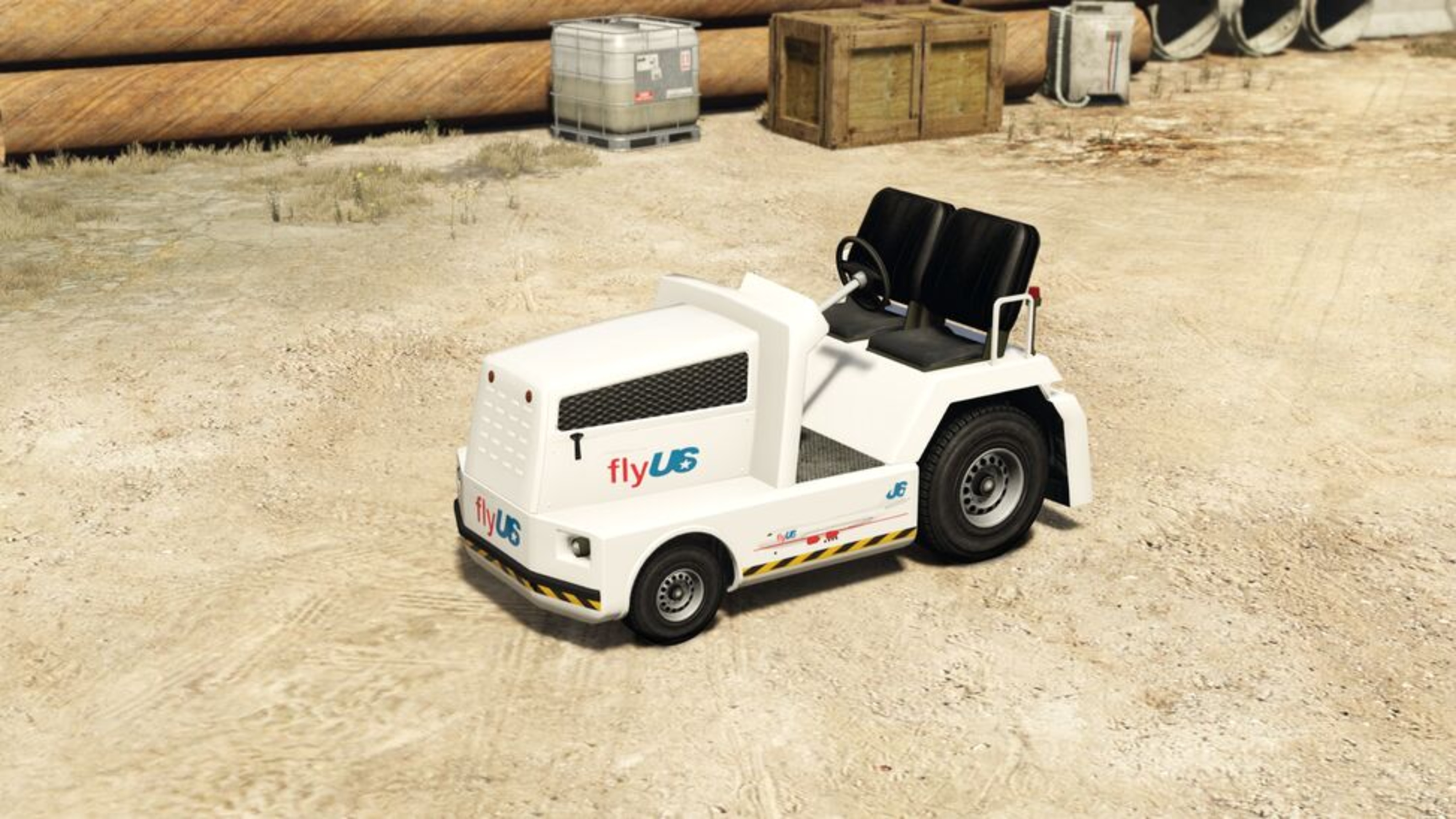
Utility
Airtug
FWD drivetrain • Base state
View full detailsAirtug vs Docktug
Compare base and upgrade-tested performance where available, switch HSW or custom states per side, and keep the base vehicle economy and handling view visible underneath.
Utility
FWD drivetrain • Base state
View full details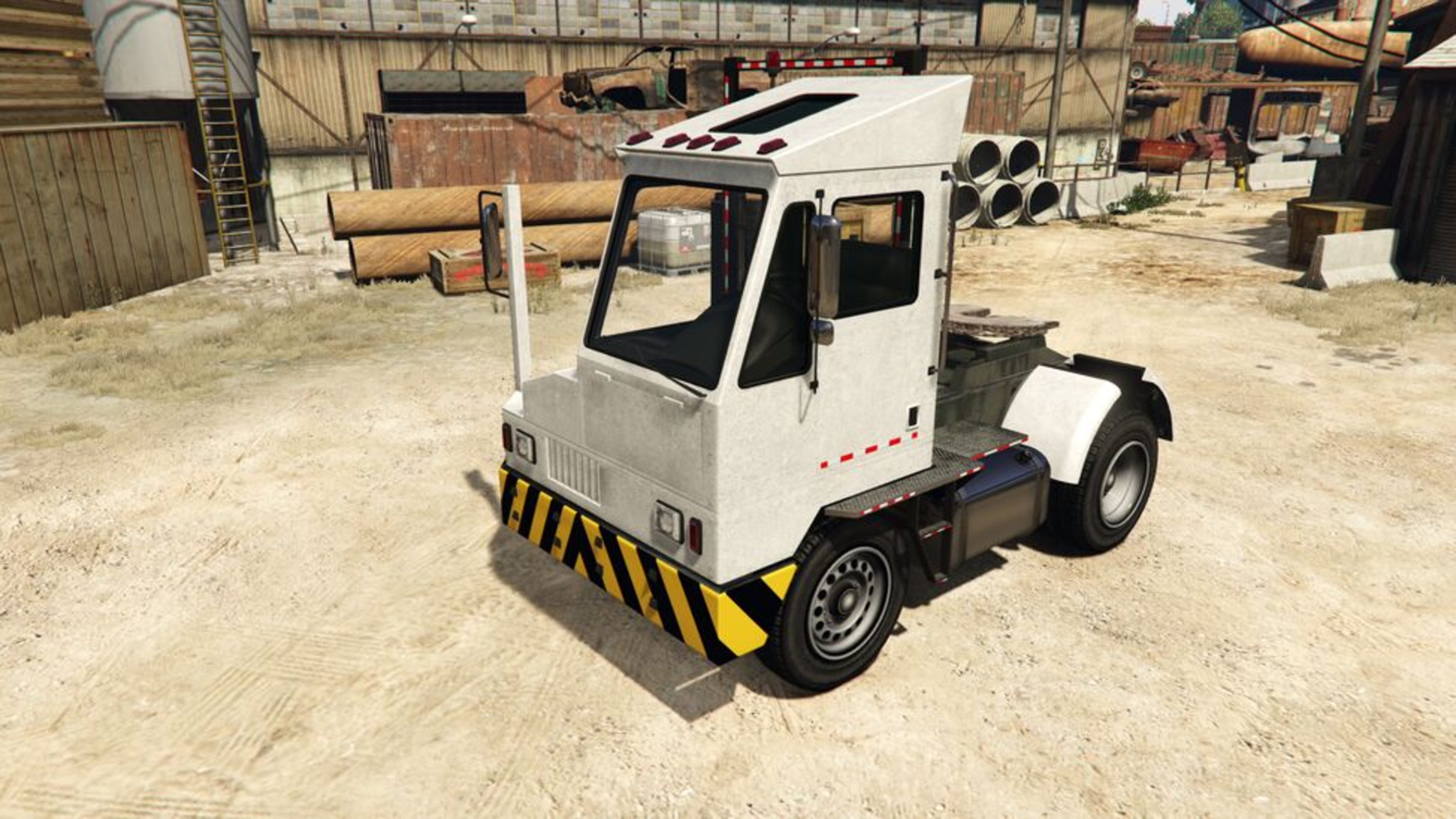
Utility
RWD drivetrain • Base state
View full detailsThese rows follow the selected compare state on each side, including HSW and other reviewed upgrade states when available.
| Metric | Airtug | Delta | Docktug |
|---|---|---|---|
| Tested Top Speed | 29.3 MPH (Base Tested) | 26.8 MPH | 56 MPH (Base Tested) |
| Tested Lap Time | 3:22.636 | 86.749 s | 1:55.887 |
| Class Rank | #17 in Utility | 4 places | #13 in Utility |
| Overall Rank | #648 | 12 places | #636 |
Economy rows stay tied to the canonical base vehicle, even when an upgrade state is active above.
Base-canonical economy only
| Metric | Airtug | Delta | Docktug |
|---|---|---|---|
| Purchase Price | - | N/A | - |
| Owned Resale | - | N/A | - |
| Trade Price | - | N/A | - |
| Cost per MPH | - | N/A | - |
These rows stay on the base vehicle because HSW and custom upgrades do not have a reliable in-game HUD model in this compare view.
Base-canonical handling only
| Metric | Airtug | Delta | Docktug |
|---|---|---|---|
| Acceleration Score | 15/100 | 35 pts | 50/100 |
| Braking Score | 10/100 | 7 pts | 17/100 |
| Traction Score | 35/100 | 8 pts | 42/100 |
Shape tells the story for the base vehicles only: wider polygons usually mean a more balanced handling profile, while spikes indicate specialization.
Base value snapshot
Airtug: -
Docktug: -
These handling notes stay tied to the base vehicles, regardless of any HSW or custom state selected above.
Ram Rating
Docktug is heavier, so it is usually harder to ram off line.
Launch Profile
Both share a similar drivetrain layout, so launch behavior should be closer.
Braking Edge
Docktug has the stronger braking coefficient on paper.