
STEP 01
Launch the Search
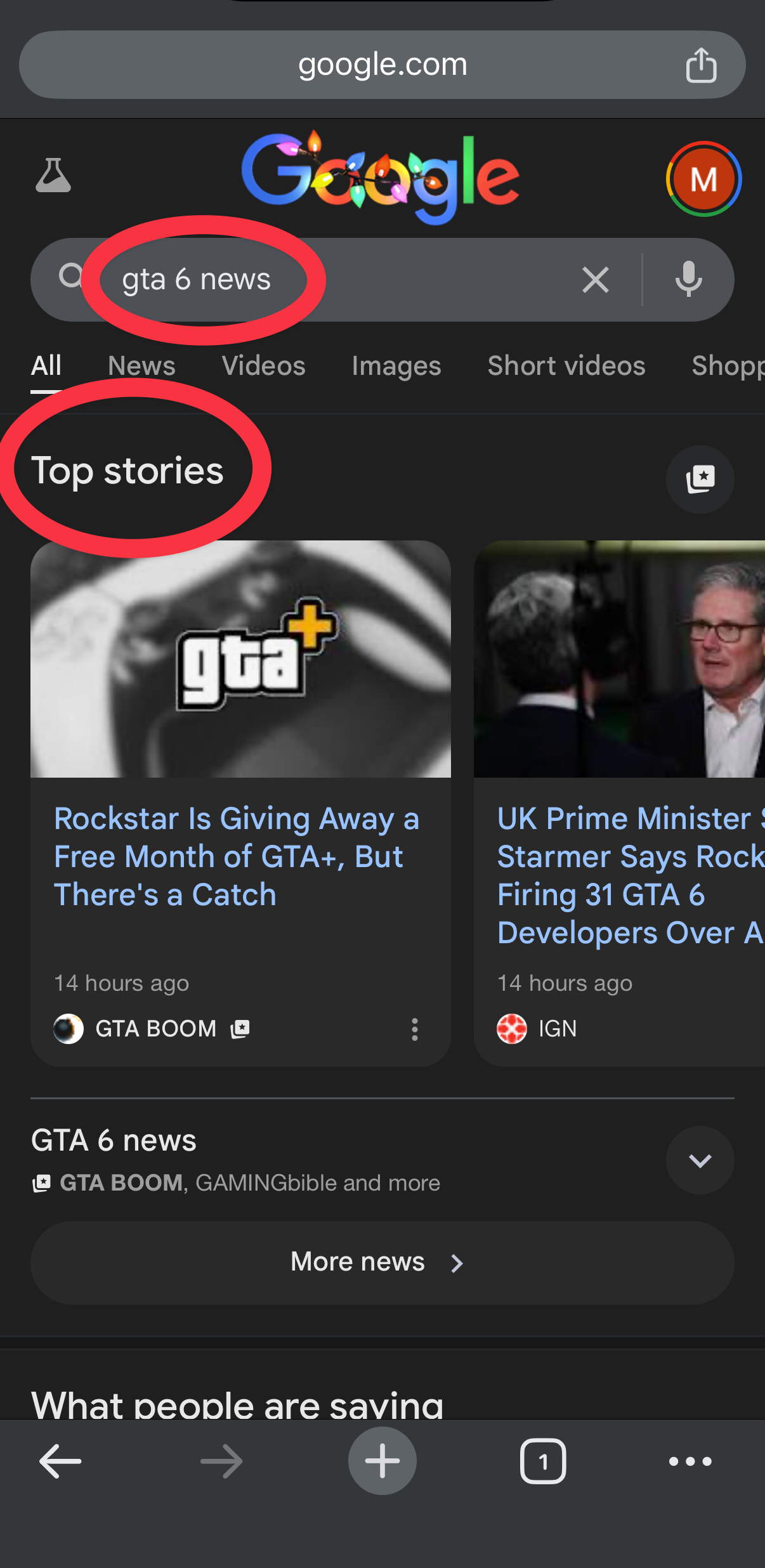
Click the button below to open a Google Search for "GTA 6 News". Look for the Top Stories section near the top.
Mark GTA BOOM as a "Preferred Source" on Google to see our GTA Online and GTA 6 updates first.
STEP 01
Click the button below to open a Google Search for "GTA 6 News". Look for the Top Stories section near the top.
STEP 02
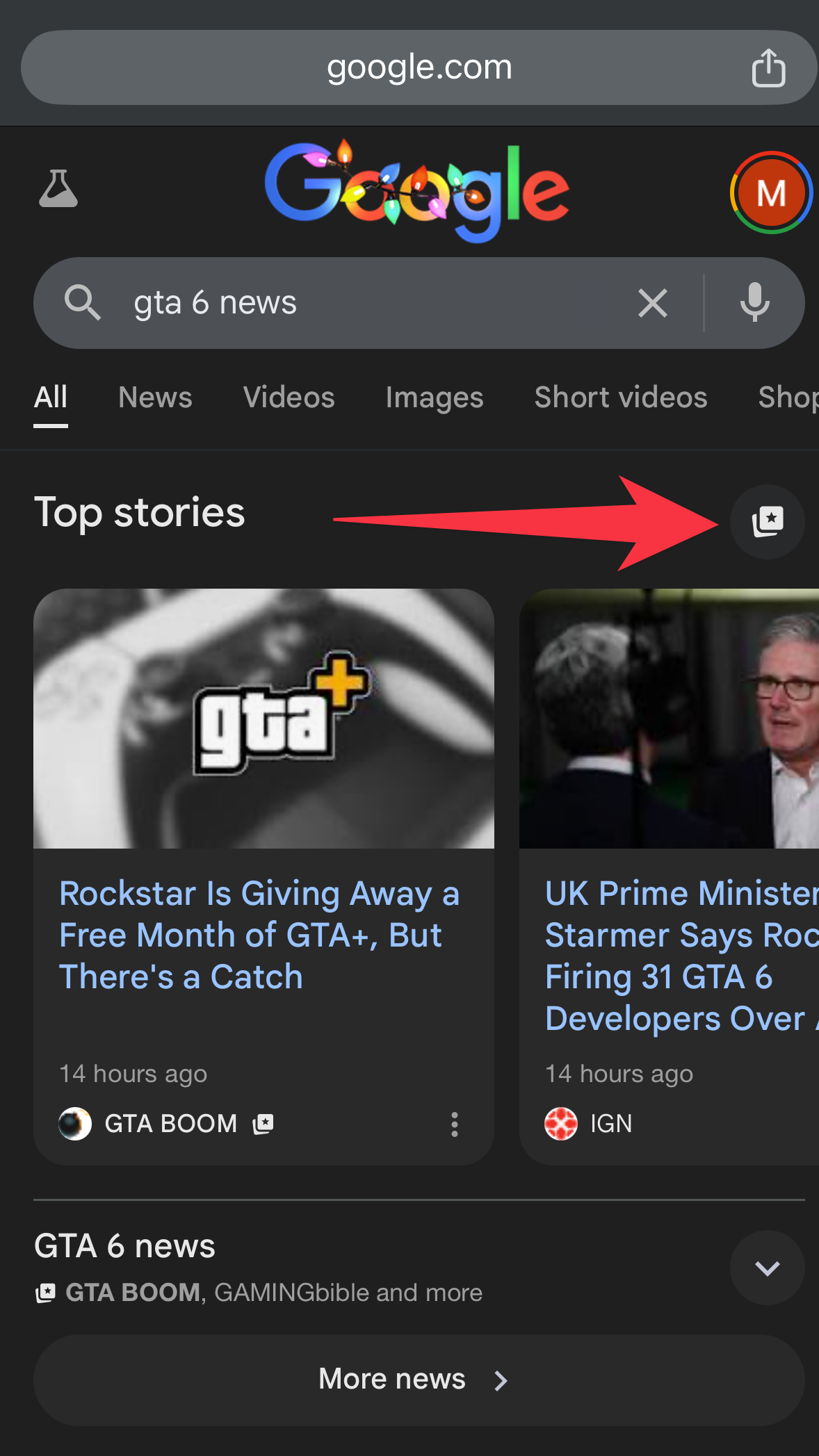
To the right of the Top Stories header, you will see a small Star Card icon. Tap it to open your source preferences.
STEP 03
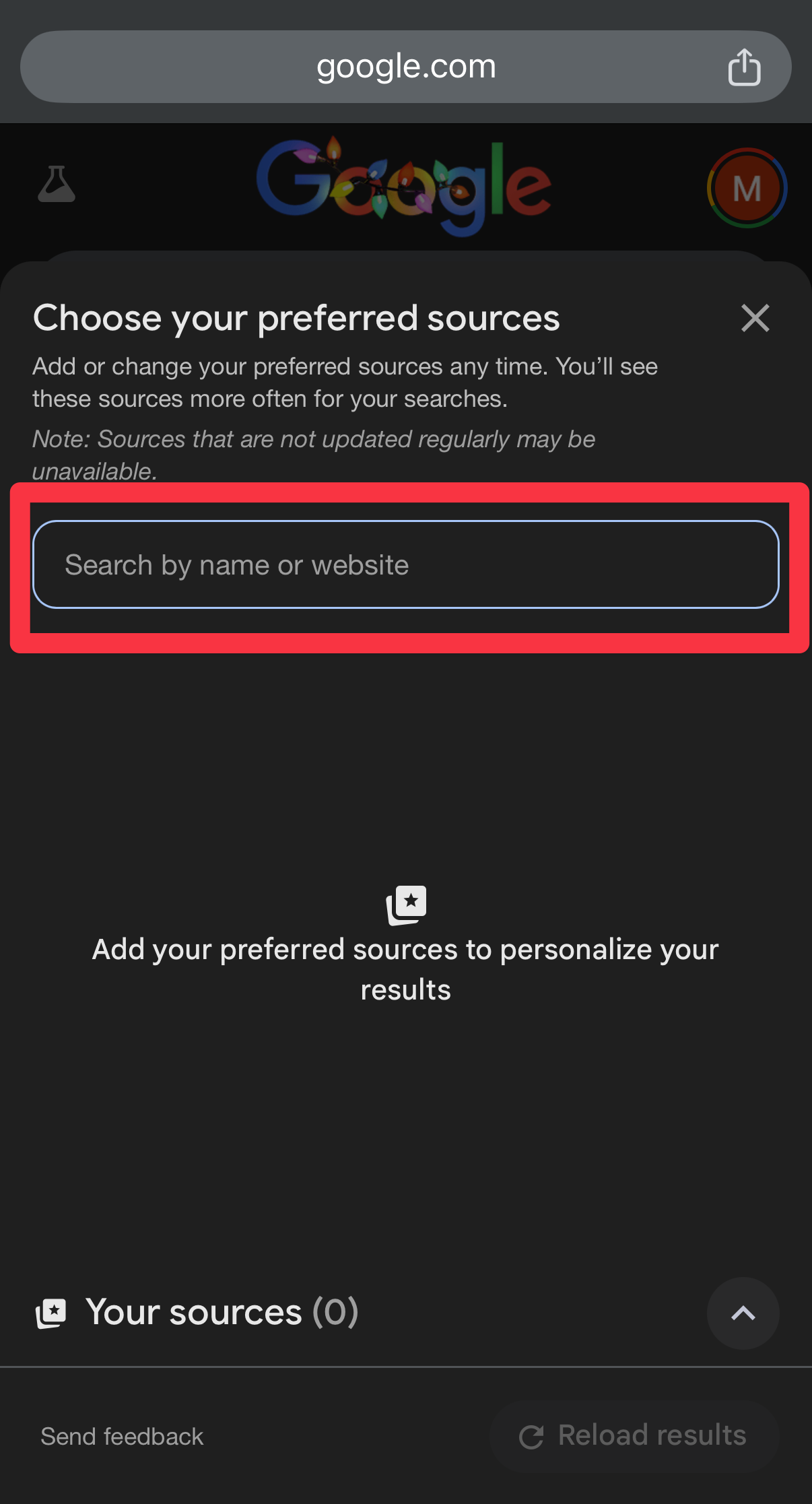
Type "GTA BOOM" into the search bar.
STEP 04
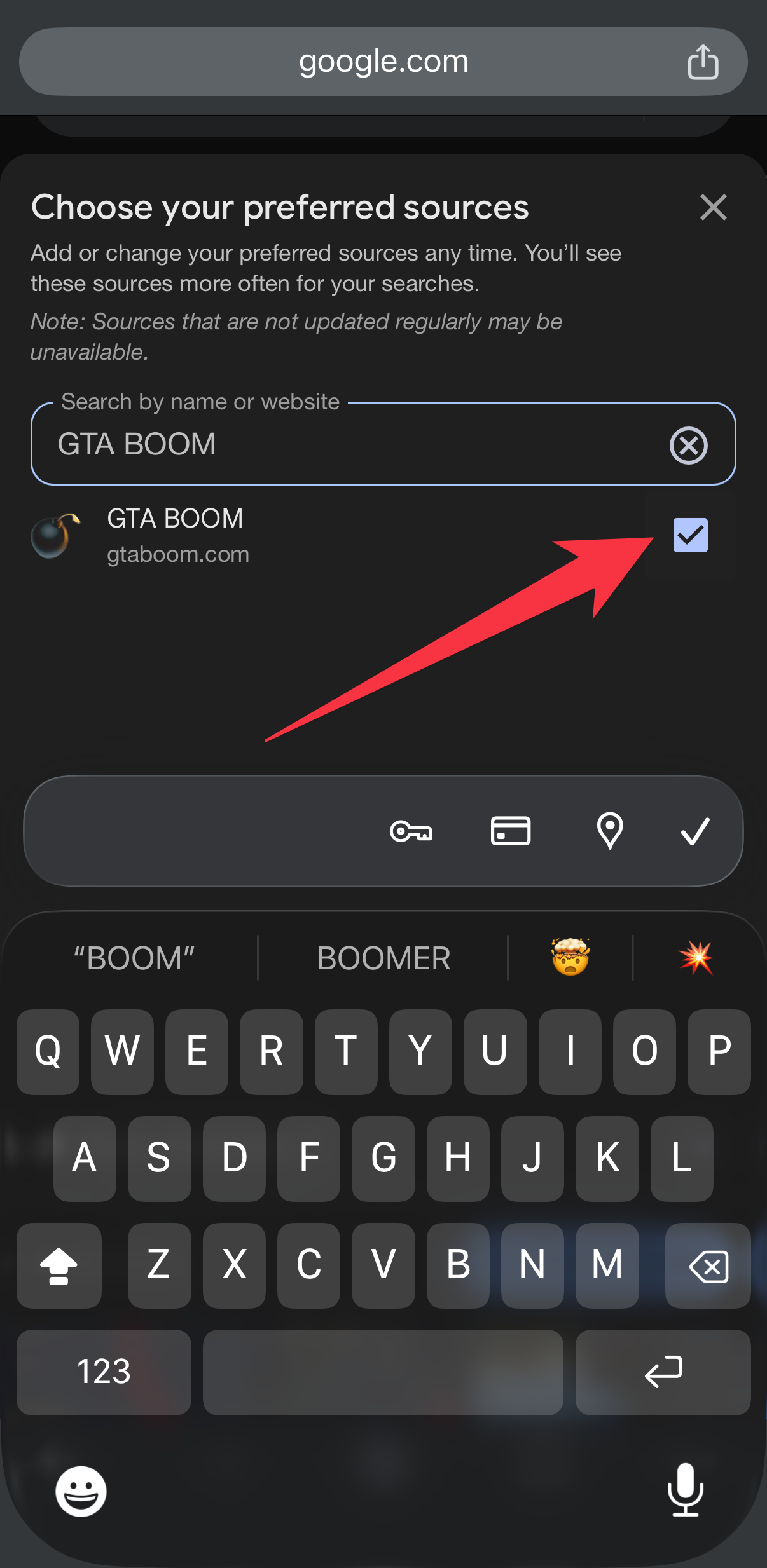
When our logo or name appears, tap the Checkmark to lock us in as a preferred source.
You should now see more GTA BOOM updates in Google Search and Discover.